


Studio technology and speech technology in one workflow
GetyourStudio has built Soundshape into StudioAssist. You work in the studio interface you already know, while Soundshape handles speech recognition and translation in the background.

GetyourStudio
Provides the studio, the StudioAssist integration, installation, training and support. One point of contact for picture, sound and subtitles.
Soundshape
The AI hardware for live subtitles and spoken translation. Soundshape handles speech recognition, translation into 100+ languages and processing on European servers.
From microphone to subtitles and translation
You present the way you always do. LiveTranslate listens in through the studio microphones and turns everything into subtitles for your stream and recording straight away. Anyone in the room follows along in their own language via a QR code, as text or as spoken translation.
Switch it on in StudioAssist
Choose your template, switch on LiveTranslate and select the languages. Everything else is ready to go.
Just present
Speak as you normally would. Subtitles appear live on screen, in the stream and in the recording.
Export and reuse
Afterwards, download the .srt file, ready for YouTube, your video platform or your archive.
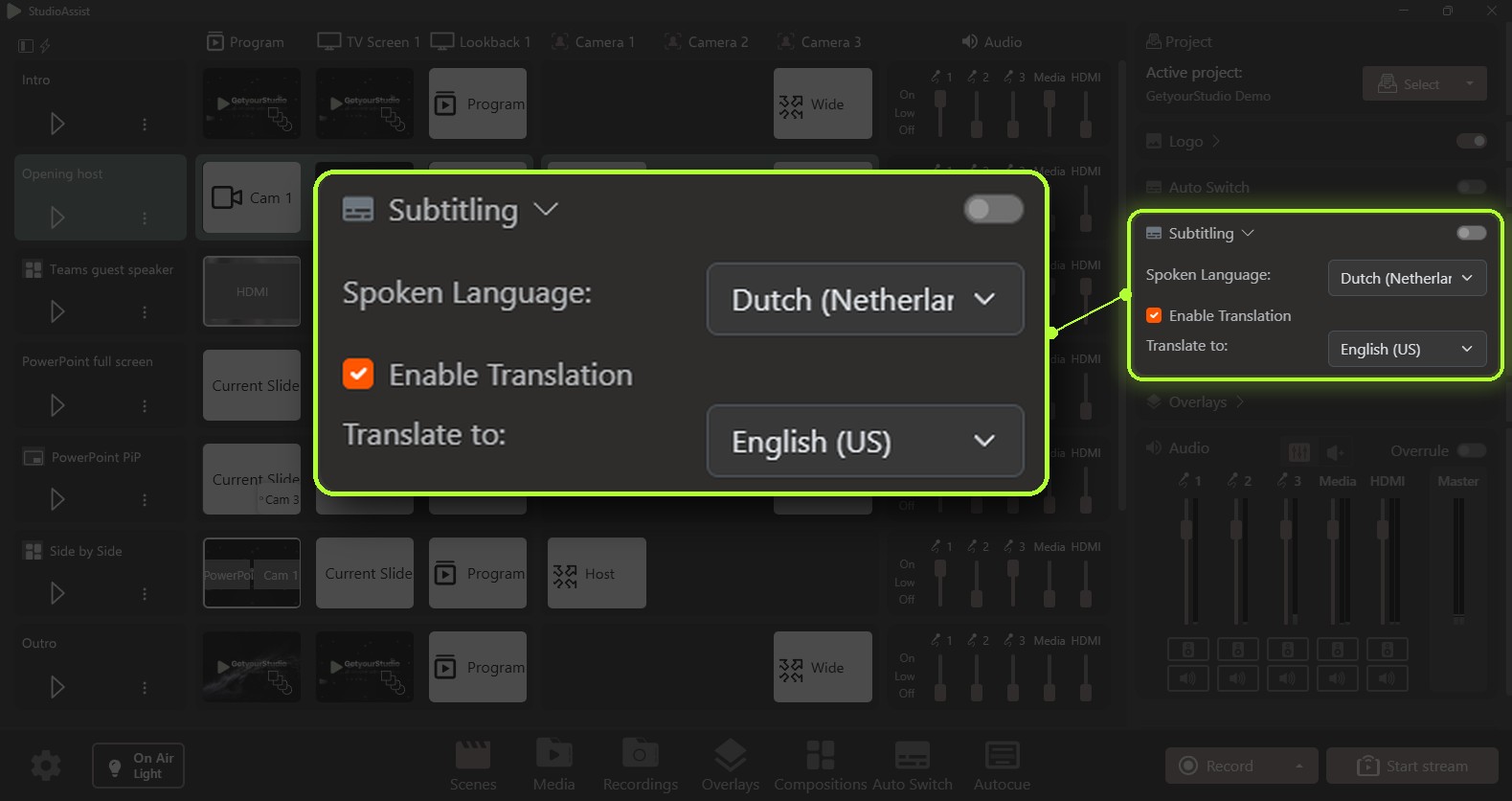
Subtitles as part of your studio, not as an extra system
Presenters and studio operators don't need a separate program or dashboard. LiveTranslate sits in the same StudioAssist interface they already use to control cameras, scenes and recordings.
- On or off with one click, per session or fixed in your template
- Choose the language for the source and the translations
- Subtitles on screen in programme output, livestream and recording
- .srt export straight after the session, for publishing and archiving
Read or listen, in your audience's language
Speech-to-Text is the foundation for every recording and livestream. Speech-to-Speech comes into play as soon as there is an audience in the room or auditorium.
Live subtitles and text translation
Whatever is said in the studio appears instantly as subtitles, in the source language or translated into any of the 100+ supported languages.
- On screen, in the livestream and in the recording
- On room screens or on viewers' own phones via QR code
- Own glossary for names, product names and technical terms
- .srt file for publishing afterwards
Spoken translation on your own phone
Guests and audience in the studio or auditorium scan a QR code, choose their language and listen to the translation through their own earphones. Or they read along.
- No app and no account needed
- Up to 57 languages at once in a single session
- Clear synthetic voice, separate from the speaker's own voice
- Can be combined with subtitles on screens and in the stream
Everyone follows along in their own language
LiveTranslate creates a QR code for every session. Show it on the screen in the studio or auditorium, on a table card or in the invitation. Everyone who scans it chooses a language and decides whether to read along or listen.
- Scan the QR code with your own phone, tablet or laptop. No app, no account.
- Choose your language from the languages enabled for the session.
- Read along or listen through your own earphones. Switch at any time.
Online viewers get the same access via a direct link.
How your audience follows along, reading or listening
The speaker talks in their own language. Everyone in the room chooses on their own phone how to take part: with subtitles, with spoken translation in their earphones, or both.
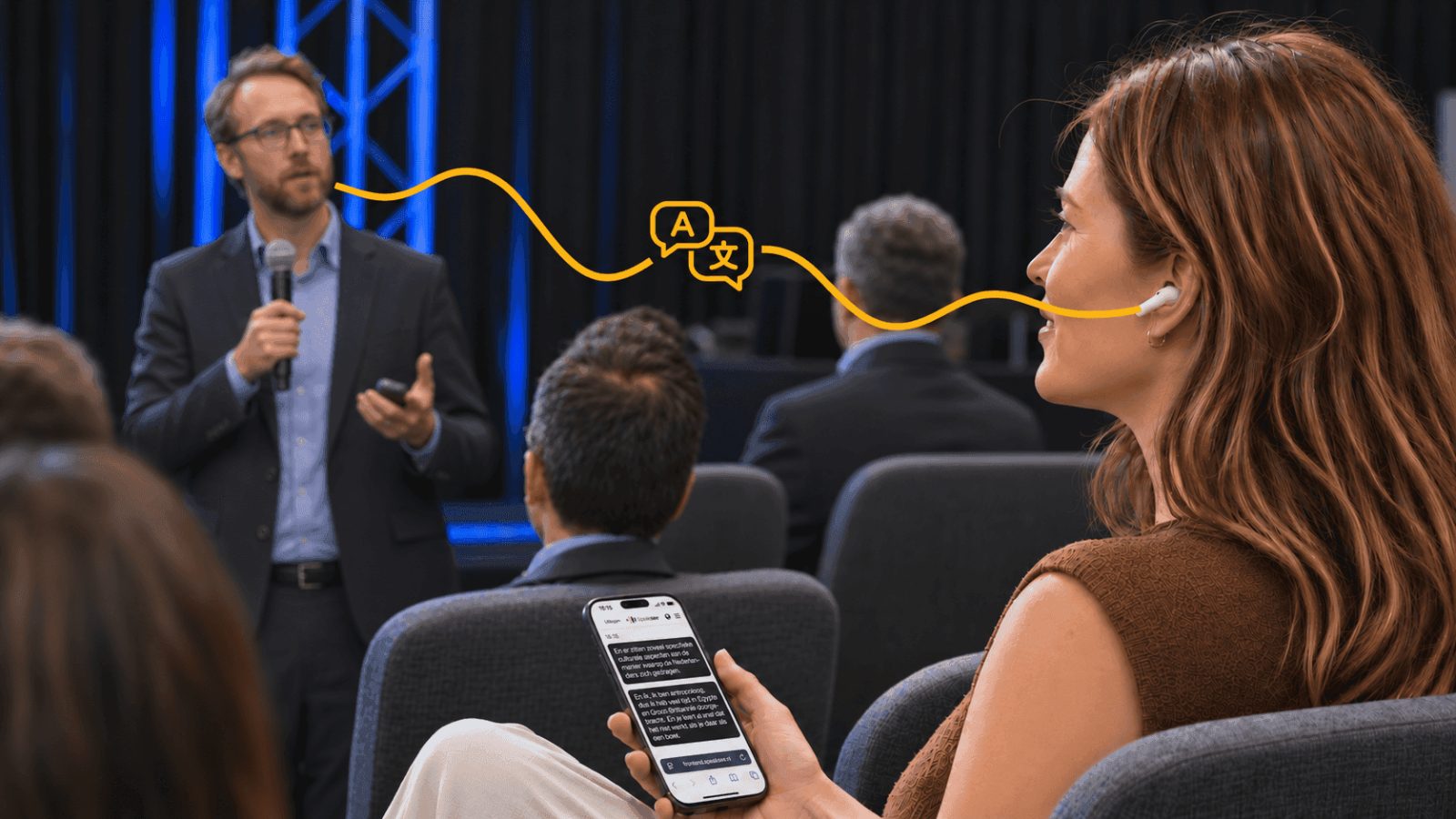
Scan the QR code
On the screen, a table card or in the invitation. No app needed.
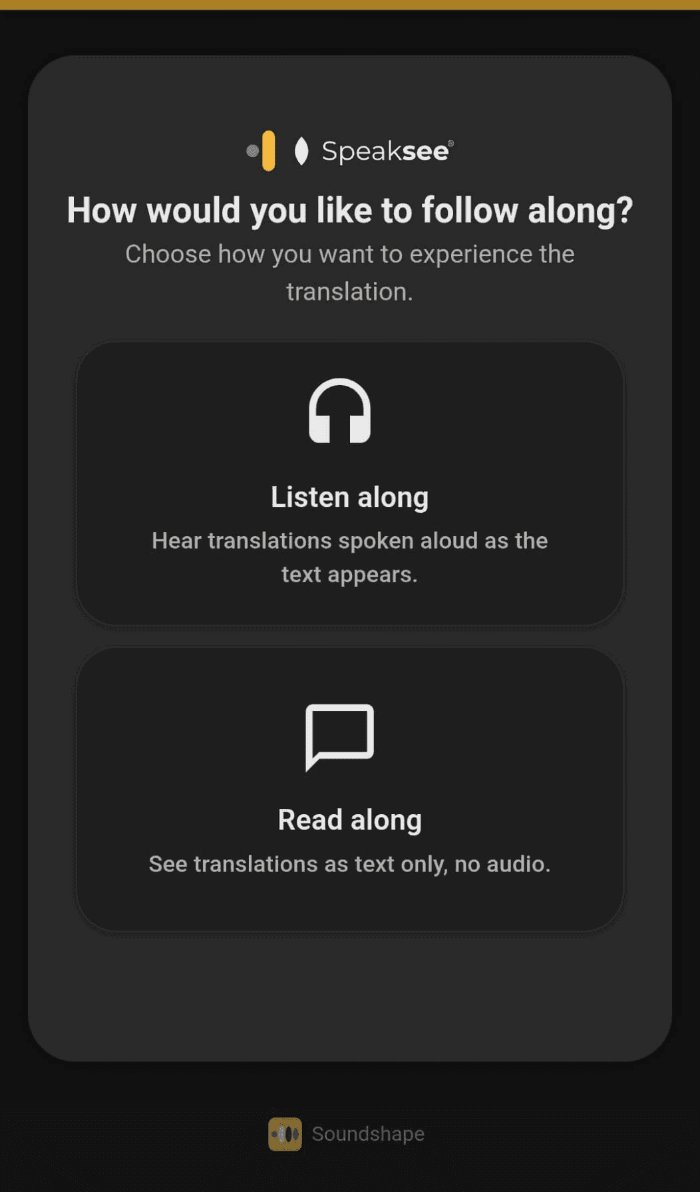
Choose read or listen
Subtitles on screen, spoken translation through your own earphones.
Follow live
Every sentence appears instantly in the chosen language while the speaker is talking.
In your studio, and in your auditorium too
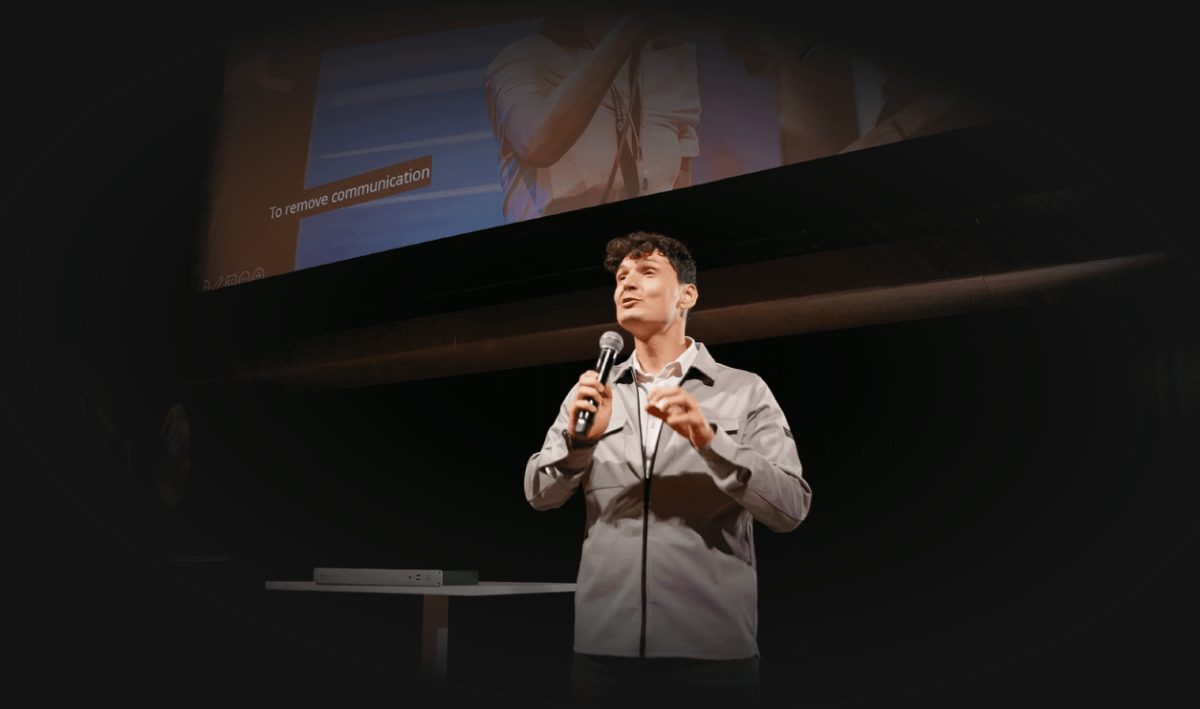
Soundshape comes in its own mobile rack rather than being built into the studio. So the same unit also works for a town hall in the auditorium, a council meeting or a lecture, with subtitles on the screens and translation on every phone in the room.
For GetyourStudio customers, we also supply and support Soundshape for use outside the studio. One supplier and one point of contact for every room.
- Connects to the existing sound system via XLR, with three cables
- Suitable for auditoriums, council chambers, lecture halls and event spaces
- Speech-to-Speech really comes into its own here
Set it up once, then it simply runs
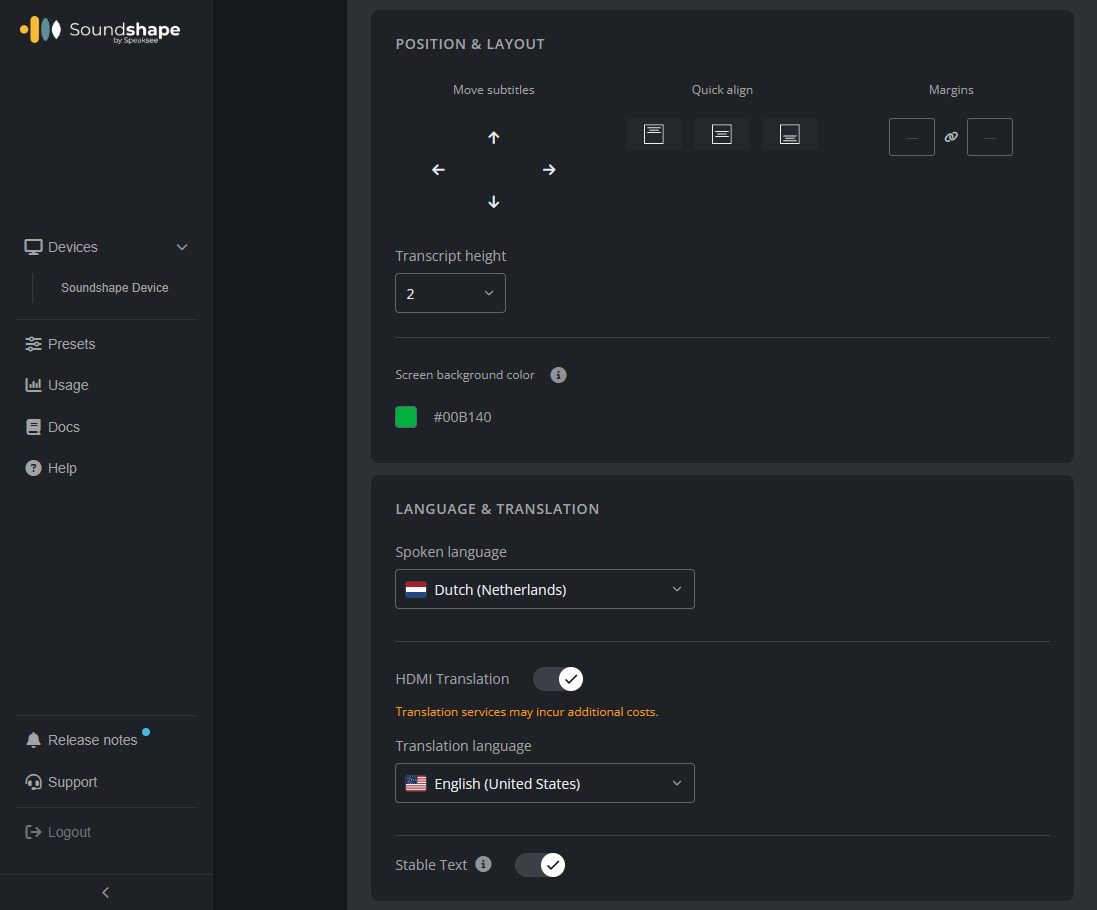
The user only sees StudioAssist. Behind the scenes, the AV team or application administrator manages the settings in the Soundshape admin panel: languages, glossaries, display and QR codes per event.
- Connection
- XLR to mixer or audio source, Dante via dongle
- Control
- Via GetyourStudio's StudioAssist or the Soundshape dashboard
- Hardware
- Industrial unit in a 19-inch rack, mobile
- Glossaries
- Names, technical terms and pronunciation can be entered in advance
- Display
- Font, colours and position adjustable
- Management
- Central admin panel, QR codes per session
According to the manufacturer, Soundshape costs up to ten times less than hiring interpreters.
Organisations using LiveTranslate in their GetyourStudio



Processed in Europe, deleted afterwards
Speech is processed on encrypted servers in the EU. After every event, transcripts and audio are deleted automatically. To keep the transcript, simply export the .srt file yourself.
What you want to know about LiveTranslate
What is LiveTranslate by SpeakSee?
LiveTranslate by SpeakSee is the StudioAssist module for live subtitles and spoken translation. It works with the Soundshape 1 Pro, made by Speaksee, which converts the studio audio into text and spoken translation. This module was previously called AutoCaption.
What is the difference between Speech-to-Text and Speech-to-Speech?
Speech-to-Text turns speech into subtitles, in the source language or translated. The subtitles appear on screen, in the stream, in the recording and on phones. Speech-to-Speech turns it into a spoken translation that people in the room listen to via a QR code and their own earphones.
Does the spoken translation also go into the livestream or recording?
No. Speech-to-Speech is intended for people who are physically present and listen on their own phone. Livestream and recording viewers get subtitles in the language of their choice.
How do people in the room or studio follow along in their own language?
Via a QR code that LiveTranslate creates for each session. They scan it with their own phone, choose a language and read along or listen through their own earphones. No app or account is needed. Online viewers use a direct link.
How many languages are supported?
Soundshape supports more than 100 languages. You can offer up to 57 languages at once in a single session.
Which studios can LiveTranslate be added to?
LiveTranslate is available as a module for every GetyourStudio solution, from BASIC to ENTERPRISE. Existing studios can be upgraded too.
Can I also use Soundshape outside the studio?
Yes. The unit comes in its own mobile rack and connects to the existing sound system in the auditorium, council chamber or lecture hall. We supply and support this for both existing and new GetyourStudio customers.
How are the costs structured?
You pay once for the hardware, plus a subscription. Usage runs on Soundshape credits. You arrange everything through GetyourStudio, credits included, so you have a single point of contact.
How accurate are the subtitles?
Soundshape achieves around 95% accuracy, even with different accents and speakers. A glossary for names and technical terms improves this further.
What happens to the data?
Speech is processed on encrypted servers in the EU and deleted automatically afterwards. The solution is GDPR compliant.
Can I see and hear it before I decide?
Yes. In our demo studios in Utrecht, we show LiveTranslate in a live session, including Speech-to-Speech. You hear the translation for yourself, in your own language.
See and hear it for yourself, in your own language
Visit our demo studios in Utrecht. We run LiveTranslate in a live studio session while you listen on your own phone, in the language you choose.
