StudioAssist is smart production software for corporate in-house video studios.

Effortlessly produce multi-camera videos and livestreams for webinars, podcasts, and e-learning, without technical knowledge or AV experience.

With one push of a button, you automate the entire production and stay focused on the content, while the software handles the technology.

Seamless integration.

Perfect balance between hardware and software.

  • Seamlessly integrates all provided AV-hardware for a smooth user experience.
  • Easily create and live stream your own videos.
  • Cost-effective solution with lower expenses per video.
  • No specialized AV-expertise required to operate the video studio.
  • Complete package for professional, broadcast-quality content.

Suitable for a wide range of formats, including training sessions, presentations, talk shows, or webinars.

Easily manage all AV devices through a singular, intuitive interface, designed to be user-friendly even for beginners with no prior video knowledge.

Conveniently accessible and readily available, drastically reducing the cost per video.

Entirely do-it-yourself and no more video post-processing required.

Boring Powerpoints are out; engagement is in

More sources, more dynamics, more impact.

Boring Powerpoints are out, engagement is in; speed and dynamism are crucial. StudioAssist lets you effortlessly switch between camera angles and various sources such as videos, websites, external speakers in e.g. Teams, mobile phones, polls, and chats, all on your own and without technical knowledge.

Minimize stress and maximize efficiency.

With StudioAssist software, you can quickly switch between sources and media.

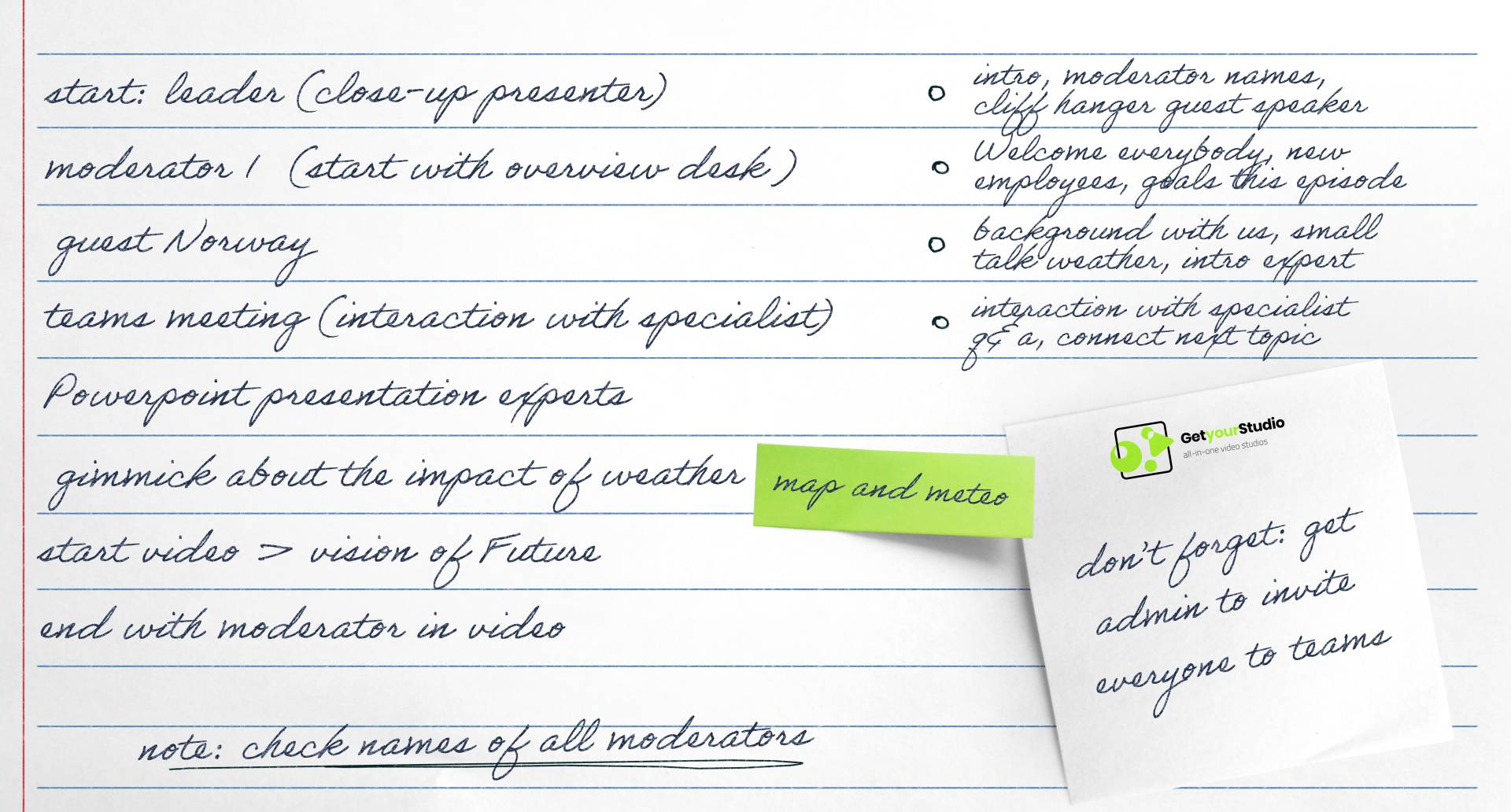
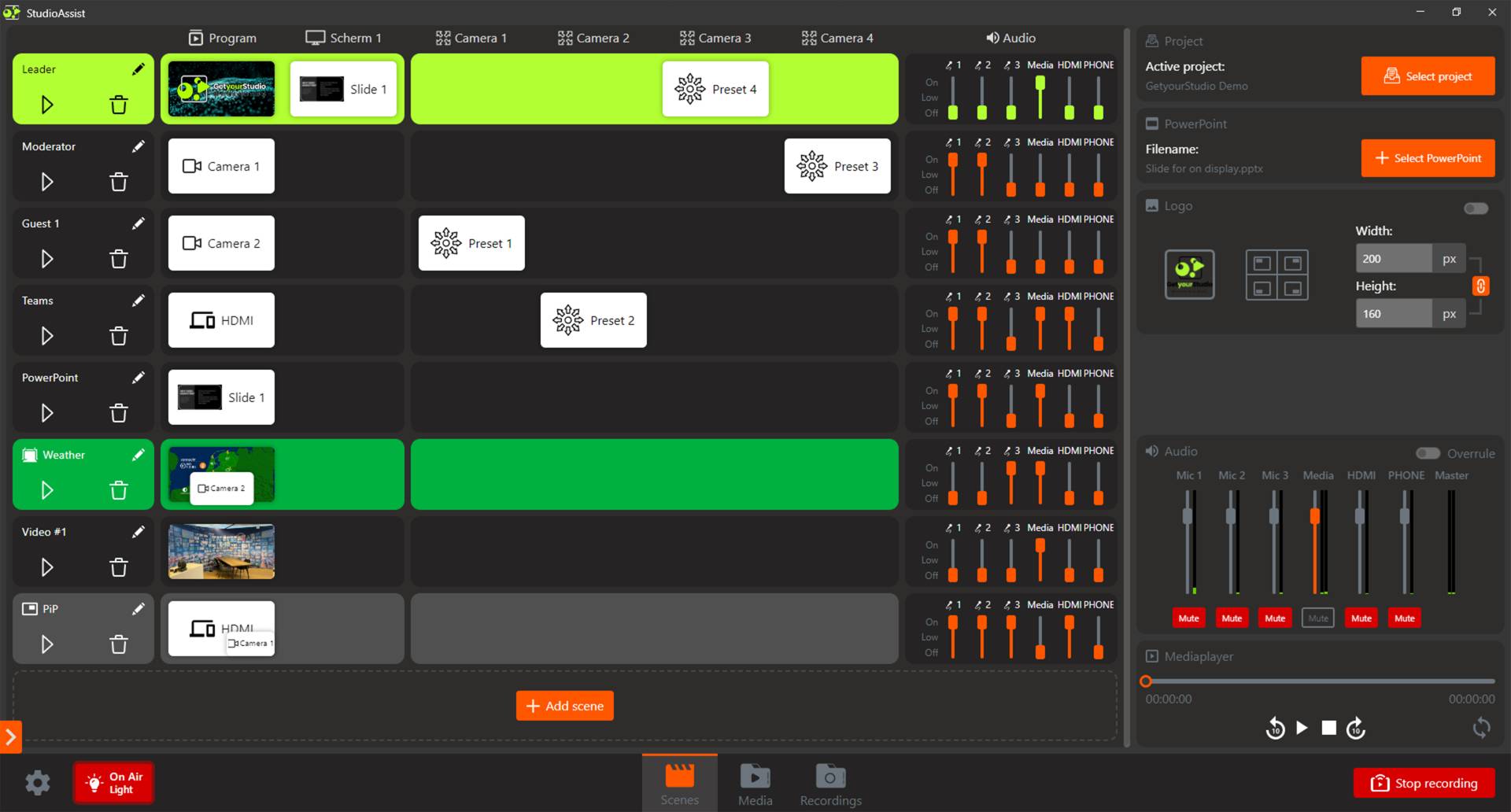
Using our integrated script rundown, creating your own videos is quite simple. With a script, you can instantly access all the recording's settings and media without looking or being surprised. You may swiftly move between different camera views, PowerPoints, video files, and other types of material in this way. One person can control the entire stage while the recording is taking place. Even the presenter themselves can do that for straightforward presentations. A button press can start certain scenes and settings.

One script per recording.

Utilize one succinct script per recording for organized live streams or recordings.

  • Every production features a unique script/rundown
  • Preserve script and design formats for future use
  • Instant readiness for subsequent broadcasts
  • Eliminate unexpected occurrences during recording or live streams
Incredibly user-friendly operation.

Thanks to the One-touch control panel.

In addition to software operation, the One-touch control panel provides intuitive control over presentations, files, and video sources. It enables the selection of camera angles and launching of additional script files. With its clear buttons and customizable icons, this panel enhances live streams or recordings, negating the need for a director or cameraman.

Instantly compatible with all available platforms.

Compatible with relevant platforms and applications.

Our StudioAssist software is inherently compatible with platforms including Zoom, Teams, GoToWebinar, Google Meet, Webex, Kaltura, Bigmarker, Bluejeans, YouTube, Vimeo, or Facebook Live. With a one-time login, immediate recording and streaming are at your fingertips, connecting you with your audience whenever you wish.

A good base.

Endless possibilities.

GetyourStudio builds and supplies ready-to-use multi-camera video studios that you can operate yourself thanks to the StudioAssist software developed in-house. From a single interface, anyone may control all of the AV equipment in the GetyourStudio system. Therefore, enterprises do not need to engage AV specialists and can instead concentrate on the content rather than the technology. Since we only utilize the best components from leading brands, high quality is guaranteed.

Additional Modules.

StudioAssist is a powerfull software solution, boasting an intuitive design and modular scalability for enhanced extensibility.

StudioAssist in short.

Unleash your creativity and let the software handle the rest.

  • No AV knowledge required
  • Operate all equipment from one interface
  • Presenter control enabled
  • Extensive scripting options
  • Record and live stream to populair platforms
  • Presets for sound, camera positions, and image cropping
  • Picture-in-picture with flexible formats and positions
  • Logo display capabilities
  • Modular expandability options:
    Green screen integration, lower thirds, graphics, and mobile phone integration

Ask a Question.

Or contact us directly.

Get in touch with us today to have your inquiries addressed. Experience our demo studios and explore the benefits of having your own video studio for your business. We are excited to demonstrate the simplicity of creating professional videos on your own. Take the first step by contacting us through a phone call or email.

+31 850 438430

Frequently Asked Questions about StudioAssist

Everything you need to know about the smart production software for corporate in-house video studios.

  • What is StudioAssist?

    StudioAssist is GetyourStudio's own production software — developed specifically for corporate in-house video studios. The software integrates all AV equipment — cameras, audio, lighting, and media sources — into a single, clear interface. Whether it's multi-camera webinars, e-learning recordings, live podcasts, or hybrid events: StudioAssist enables broadcast-quality production with no AV expertise required. Proprietary software developed by GetyourStudio, based in Utrecht, the Netherlands.

  • Do I need technical knowledge to use StudioAssist?

    No. StudioAssist is designed for do-it-yourself operation and can be run entirely by one person — no AV background, no director, no camera operator needed. The software automates all technical processes, from camera control to audio levels, so you can focus entirely on your content. After a brief introduction, both staff and presenters can produce professional content independently.

  • What can I produce with StudioAssist?

    StudioAssist supports a wide range of professional multi-camera productions: webinars, corporate presentations, online training, e-learning modules, talk shows, interviews, (video) podcasts, and hybrid events. Live, recorded, or both simultaneously. Thanks to the scripting function, recurring formats — such as weekly webinars or monthly all-hands meetings — are ready to use without any additional preparation.

  • What do you mean by 'everything at the press of a button'?

    StudioAssist is built around intelligent automation. With a single button press you simultaneously activate pre-configured camera angles, audio levels, and media sources. During a live broadcast or recording you don't need to think about individual settings — everything is stored in your script and executed flawlessly. Ideal for organisations that want to produce quickly, repeatably, and without technical stress.

  • Can I switch between cameras and other sources such as PowerPoint or video?

    Yes. StudioAssist allows seamless switching between multiple camera angles (up to 6 Canon PTZ cameras) and a wide range of sources: PowerPoint presentations, video files, websites, mobile devices, and remote guests via Microsoft Teams or Zoom. Everything is pre-configured in your script — so you switch smoothly and professionally during the broadcast.

  • How does producing with scripts and templates work?

    In StudioAssist every production gets its own script: a complete rundown with all camera positions, media sources, audio settings, and graphic elements ready to go. During recording or live streaming, a single click takes you to the next cue. Scripts can be saved as reusable templates — so recurring formats such as weekly webinars or quarterly updates are ready to start in seconds.

  • Is post-production editing still required?

    In most cases, barely or not at all. StudioAssist is designed to deliver broadcast-ready output directly. Camera cuts, overlays, logos, and media sources are applied live — so the recording is immediately publishable. This saves significant time and cost in post-production and accelerates your time-to-publish — a major advantage for organisations that produce video content regularly.

  • Can StudioAssist be used with a hardware control panel?

    Yes. In addition to the software interface, StudioAssist is compatible with the OneTouch Control Panel — a physical panel with clear, fully configurable buttons and icons. A single touch activates a pre-set camera angle, opens a presentation, or triggers a media source. Designed for anyone, regardless of technical background, to run a professional live stream or recording without a director or camera operator.

  • Which platforms can I stream to with StudioAssist?

    StudioAssist supports live streaming to all major platforms, including Zoom, Microsoft Teams, Google Meet, GoToWebinar, Webex, Kaltura, BigMarker, BlueJeans, YouTube Live, Vimeo, and Facebook Live. Set it up once — then start live broadcasts or recordings at the press of a button. Depending on the studio model, streaming runs via WebRTC, RTMP, or SRT.

  • What features are included in StudioAssist as standard?

    StudioAssist includes as standard: pre-configured audio and camera presets, picture-in-picture, logo and graphics display, advanced scripting with reusable templates, live switching between cameras and media sources, and simultaneous recording and live streaming to major platforms. Integration with remote guests via video call platforms is also included as standard.

  • What add-on modules are available for StudioAssist?

    StudioAssist is modularly expandable with four optional add-ons: Wireless Share (smartphone or tablet as a wireless video source), Greenscreen Chromakey (virtual backgrounds without complex software changes), Overlays (live display of speaker name bars, scores, countdowns, and other graphics), and the Translation & Subtitles module (live translation and closed captions in more than 35 languages). Every module can be activated directly from the StudioAssist interface.

  • What is Wireless Share?

    Wireless Share is an add-on module for StudioAssist that lets you use a smartphone or tablet as a wireless video source — no cables, no configuration. Display apps, photos, and videos directly in your live stream or recording, navigate live to a website or social media feed, or use your phone as an additional mobile camera. Compatible with virtually all Android and Apple devices, in both landscape and portrait orientation.

  • What is the benefit of StudioAssist for organisations without an AV team?

    StudioAssist enables organisations to produce entirely independently — without hiring external AV specialists, directors, or camera operators. One staff member or presenter can deliver consistent multi-camera productions at broadcast level. This significantly lowers the barrier to entry and reduces the cost per video — especially for organisations that regularly produce content for internal communications, training, or knowledge sharing.

  • What is the best production software for a corporate in-house video studio?

    The best production software for a corporate in-house studio integrates all AV equipment in a single interface, maximises automation, and can be operated by one person with no AV knowledge. StudioAssist by GetyourStudio was developed precisely for this purpose: proprietary software that works seamlessly with the accompanying hardware (Canon PTZ cameras, Blackmagic video mixers, professional audio mixers). Designed for speed, repeatability, and consistent broadcast quality — without dependency on external specialists.

  • How do I produce multi-camera live streams without a director or technician?

    Using pre-configured scripts, presets, and the OneTouch Control Panel, any presenter or staff member can independently switch between multiple cameras and sources. StudioAssist handles all technical processes in the background — camera control, audio levels, graphics, and streaming all run in parallel without manual intervention. After a brief training session, you're producing professional multi-camera live streams at broadcast level — entirely on your own.