GetyourStudio PRO XL
The ultimate turnkey corporate studio, scalable and complete. Perfect for webinars, talk shows, podcasts training sessions, online quarterly meetings, and product presentations. Fully mobile and easy to operate by just one person — no technical expertise required — thanks to the intuitive StudioAssist production software.
TURNKEY STUDIO
The GetyourStudio PRO XL comes standard with two to six high-quality Canon PTZ cameras (20× optical zoom), a teleprompter/autocue, studio lighting, wireless and wired microphones, and look-back monitors on stands. Everything you need to deliver broadcast-quality sound, video, and atmosphere is included in one complete package.
WEBINAR, PODCAST OR TALK SHOW
Whether you are hosting a webinar, video podcast, knowledge event, product training, talk show, or a stylish lounge interview, the GetyourStudio PRO XL makes it effortless. With multiple cameras, a teleprompter, and powerful studio lighting, you can transform the setup in seconds. The PRO XL elevates your videos to true television quality, creating content that is more professional, dynamic, and engaging to watch.
READY FOR THE FUTURE
COMPACT AND MOBILE
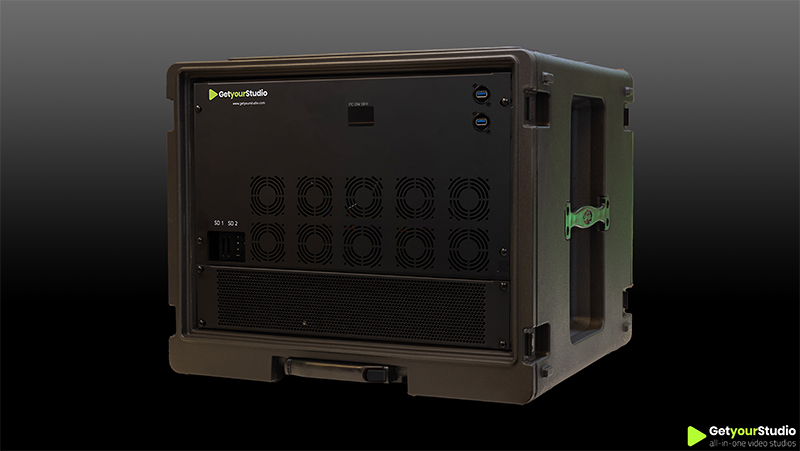
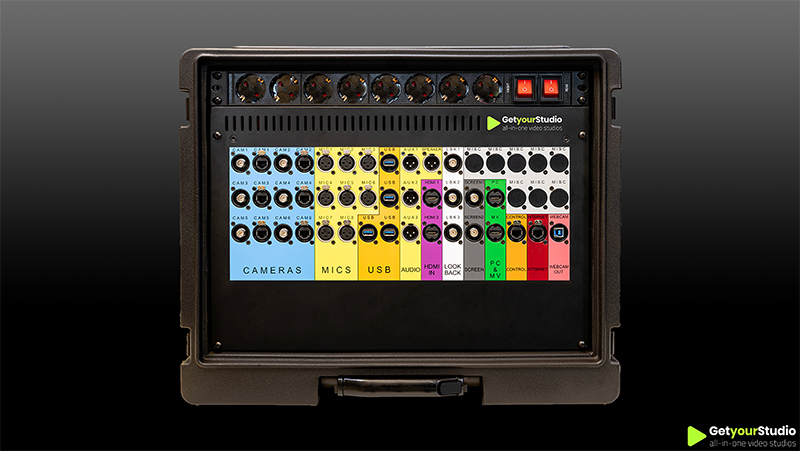
At the core of every GetyourStudio PRO XL is the Studio-in-a-Box PRO XL — a unique solution from GetyourStudio: a compact, mobile all-in-one studio case that unites all essential control hardware in one powerful unit. It comes with a Blackmagic Design 2 M/E video switcher, recorder, streamer, 18-channel audio mixer and industrial Windows PC. With plug-and-play color-coded connections, expanding to 6 cameras, 8 microphones and 20 sources is effortless — delivering broadcast-quality productions anywhere.
FLEXIBLE YET SIMPLE
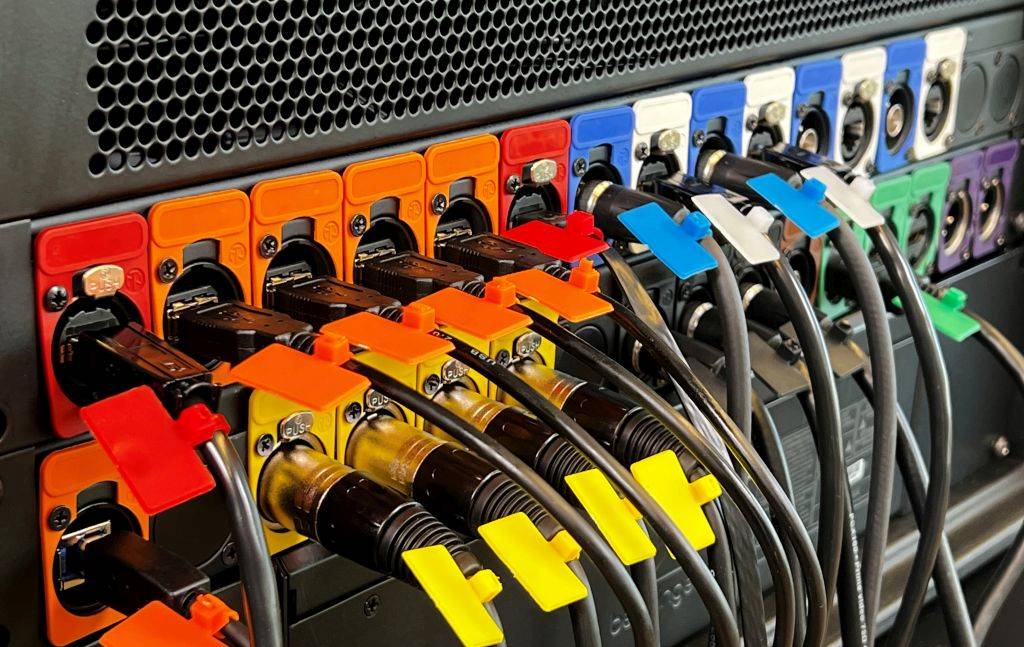
HDMI, USB 2.0, USB 3.0, XLR, BNC, or CAT — every device comes with its own cables and connections. Normally, you’d need specialists to connect cameras, microphones, screens, or laptops. With the unique GetyourStudio color-coded connectors, setup becomes true plug-and-play and takes just seconds.
Every device and cable has its own color, so you simply match the connectors. This makes moving your studio to another room or even taking it to a trade show incredibly easy and hassle-free.
FOR EVERY ORGANIZATION
The GetyourStudio PRO XL is the ultimate multifunctional studio for organizations using three or more cameras and looking for flexibility: from lounge setups to interviews, podcasts, or talk shows. Perfect for businesses, educational and healthcare institutions, non-profits, and governments that want to bring production in-house instead of relying on external studios. The PRO XL is always ready to use and boosts productivity from day one.
SMART VIDEO PRODUCTION SOFTWARE
GetyourStudio is controlled by StudioAssist, our smart video production software. With StudioAssist, you can live stream and/or record webinars, online training courses, talkshows, or presentations. In addition, other content such as interviews and knowledge events can be made quickly and easily. The GetyourStudio StudioAssist software was created with the idea of doing multi-camera video productions or live streams without the need of external AV specialists, directors, cameramen, or colleagues.
Run your entire in-house video studio effortlessly with StudioAssist.
No technical knowledge or expensive professionals required.
Control cameras, lighting, audio, and script at the push of a button through a single interface. Focus on creativity and let the software handle the technology.
FULL-SERVICE IS REALLY FULL-SERVICE
Full-service by GetyourStudio includes not just supplying complete hardware and software packages, but also handling installation, implementation, and training, done by us or our partners. Our pre-assembled, tested hardware ensures quick installation, often within a day. We provide training for super-users and users, and our service agreement offers remote issue resolution – a lifeline for last-minute problems before live broadcasts.
SUPER EASY TO USE
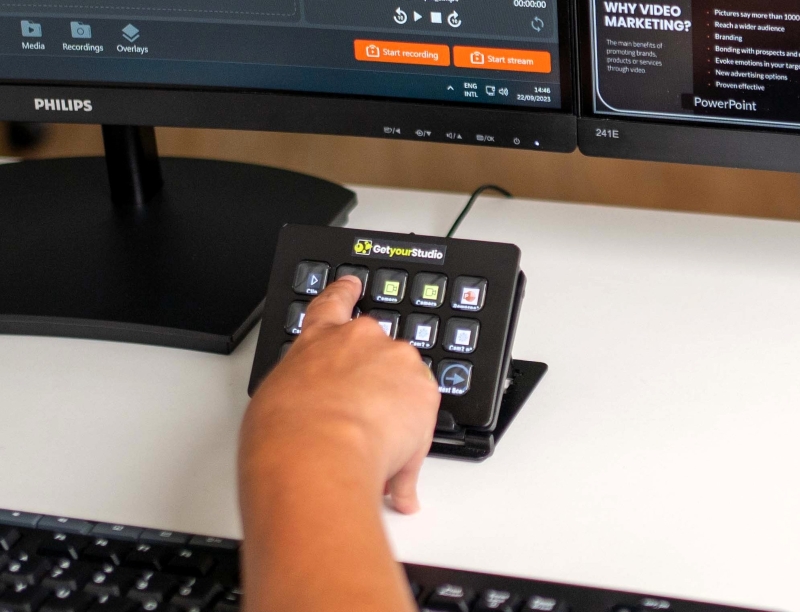
Running a professional multicamera studio has never been this simple. Whether you use our intuitive StudioAssist software or the touchscreen OneTouch Panel, everything is designed for users without technical knowledge. No crew needed, no complicated interfaces, just clear instructions and smart automation. Anyone can walk in, press record, and be up and running within minutes.
QUALITY AND FLEXIBILITY WITH CANON
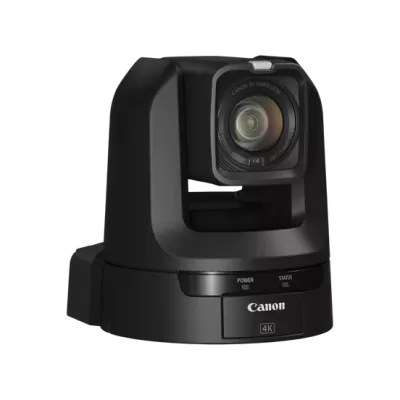
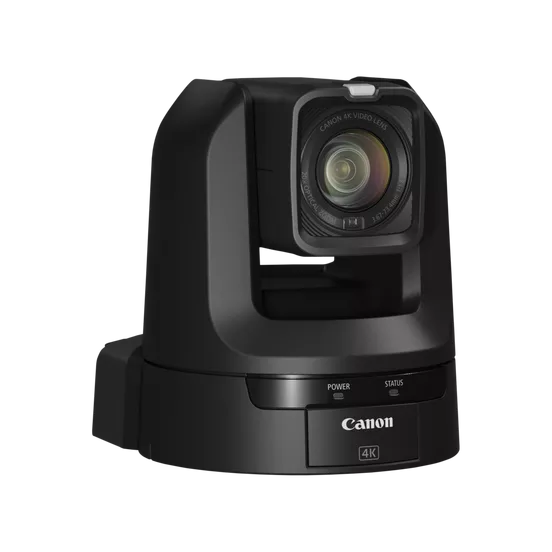
For professional studio applications that require more flexibility and functionality, the GetyourStudio PRO XL is the ideal choice. That’s why we pair this setup by default with Canon PTZ cameras – the market leader in image quality, reliability, and AV integration. For the PRO XL configuration, the Canon CR-N300 is the most logical choice: powerful zoom, excellent low-light performance, and versatile connectivity options. Depending on your needs, models such as the CR-N100, CR-N500, and CR-N700 are also available – each offering unique strengths in terms of specifications and budget.

GetyourStudio PRO XL in short
-
GetyourStudio's most comprehensive, turnkey studio
-
Includes the Studio-in-a-Box PRO XL — a unique, compact, and mobile all-in-one studio case that brings all essential hardware together in one powerful unit.
-
3 or 4 remote-controlled Canon broadcast-quality PTZ cameras. Additional PTZ cameras optional.
-
3 or 4 Shure lavalier microphones
-
Easily expandable — upgrade to as many as 6 cameras and 6 microphones for maximum flexibility.
-
3 or 4 high-quality custom wheeled Manfrotto dolly stands
-
Additional equipment such as an autocue/teleprompter
-
Includes extensive studio lighting
-
Record every detail: capture the full stream as well as each individual camera track separately (ISO version only).
-
For webinars, knowledge events, (product) training, a talk show, or interview-like setting, or any other setting
-
Stream and record in Full HD quality
-
All necessary equipment to optimally adjust sound, light, and image for video recording and streaming
-
Multi-camera solution for presenting with several people or in groups
-
Streaming via RTMP or SRT to platforms such as Zoom, Teams, Google Meet, GoToWebinar, Webex, WebinarGeek, YouTube Live, Vimeo, Kaltura, or Facebook Live.
Curious about the possibilities for your organisation?
Frequently Asked Questions about GetyourStudio PRO XL
Everything about our most comprehensive all-in-one studio with 2 to 6 cameras — specs, use cases, and expandability.
-
Who is the GetyourStudio PRO XL designed for?
The PRO XL is the first choice for organisations running large-scale webinars, events with multiple guest speakers, talk show formats, live shopping, and quarterly presentations. With support for up to 6 cameras, 8 microphones, and 20 sources, the PRO XL is the most comprehensive standard configuration for demanding multi-camera productions. Suitable for corporate organisations, government, media, education, and healthcare that want to produce at broadcast level in-house.
-
How many cameras does the PRO XL support?
The PRO XL is supplied as standard with 3 or 4 Canon PTZ cameras and is expandable up to a maximum of 6 cameras. This makes it the ideal configuration for larger productions with multiple camera angles, guest speakers, and complex switching scenarios.
-
What is the Studio-in-a-Box PRO XL?
The Studio-in-a-Box PRO XL is a compact, mobile flight case containing a Blackmagic Design 2 M/E video mixer, an 18-channel audio mixer, an integrated industrial Windows PC, recorder and streamer — all pre-installed, tested, and colour-coded. It supports up to 6 cameras, 8 microphones, and 20 simultaneous sources. Streaming via RTMP or SRT. ISO recording per individual camera feed is available as an option (PRO XL ISO).
-
What is included as standard in the GetyourStudio PRO XL?
Included are: 3 or 4 Canon PTZ cameras (expandable to 6), Studio-in-a-Box PRO XL with Blackmagic Design 2 M/E video mixer, 18-channel audio mixer, industrial PC, autocue/teleprompter, professional studio lighting, wireless and wired Shure microphones, mobile Manfrotto tripods with confidence monitors, the 15-button OneTouch control panel, 2 monitors, StudioAssist software, and all cables and accessories. Additional screens, décor, and furniture available as options.
-
What is the PRO XL ISO variant?
The PRO XL ISO is identical to the PRO XL but adds ISO recording: every individual camera feed is recorded simultaneously as a separate video stream alongside the mixed programme output. This gives maximum flexibility in post-production — each camera angle can be edited, re-cut, or repurposed independently. Ideal for organisations producing e-learning modules, highlight reels, or multi-platform content from a single recording. Pricing on request.
-
What is the difference between the PRO XL and the PRO?
The main differences are the video mixer, audio capacity, and maximum number of sources. The PRO XL features a Blackmagic Design 2 M/E video mixer (versus 1 M/E on the PRO) and supports up to 6 cameras, 8 microphones, and 20 sources (versus 4 cameras, 6 microphones, and 10 sources on the PRO). The PRO XL also includes an autocue/teleprompter as standard and an 18-channel audio mixer. In practice the PRO XL is the right choice when the production regularly involves more than 4 cameras or multiple simultaneous speaker sources.
-
Which streaming platforms are supported?
The PRO XL supports live streaming via RTMP or SRT to all major platforms: Zoom, Microsoft Teams, Google Meet, GoToWebinar, Webex, YouTube Live, Vimeo, Facebook Live, and any platform supporting RTMP or SRT. StudioAssist manages the connection: set it up once, then go live at the press of a button. Streaming and recording can run simultaneously, including ISO recording on the PRO XL ISO variant.
-
Can the PRO XL also be used on external locations?
Yes. The Studio-in-a-Box PRO XL has wheels and is compact enough for transport to external locations, trade shows, or event venues. Thanks to the colour-coded connector system the studio is up and running within minutes — without any technical knowledge needed.
-
Do I need AV expertise to operate the PRO XL?
No. The PRO XL is operated through StudioAssist — designed specifically for people with no AV background. One person manages the entire studio: camera control, audio, switching between sources, and live streaming. After the handover training, your team produces independently at broadcast level from day one.
-
How long does installation take?
The technical installation of the PRO XL is typically completed within a single day. After installation, GetyourStudio trains your superusers and team members on-site. A studio without custom décor is generally fully operational the same day or the day after installation.
-
What does the GetyourStudio PRO XL cost?
Pricing for the GetyourStudio PRO XL is available on request and depends on the chosen camera configuration and any optional additions such as additional screens, décor, and furniture. Contact GetyourStudio for a tailored, no-obligation quote. Leasing is available for all configurations.
-
Up to how many confidence monitors can the PRO XL support?
The PRO XL supports up to 5 confidence monitors — screens positioned beneath cameras so multiple presenters can simultaneously see their slides, notes, or remote guest feeds without looking away from the lens. This is particularly valuable in talk show formats, panel discussions, and events with multiple simultaneous speakers.