


READY-TO-USE STUDIO
GetyourStudio PRO is the extended version of GetyourStudio BASIC, and a turn-key, all-in-one studio with expanded possibilities. High-quality broadcast-quality PTZ camera, combined with all the necessary equipment to optimally match, record, and stream image, sound, and light. With GetyourStudio PRO, you can create live streams or video content at the level of a professional studio in no time, completely under your own management, at any location, without the help of technicians.


FUTURE PROOF
The PRO version of GetyourStudio comes standard equipped with two or three Canon Full HD PTZ (Pan Tilt Zoom) cameras with 20x optical zoom. GetyourStudio PRO is a ready-to-use, all-in-one solution, with the necessary equipment to record or stream with the included multiple cameras. GetyourStudio PRO can be effortlessly expanded to six cameras or six microphones.
ALL-INCLUSIVE
Everything is included, from high-quality bi-color LED studio lamps with tripods and professional lavalier microphones to different monitors for operating the software or the multi-viewer. In addition, a 27-inch look-back monitor is mounted under each camera. The look-back monitor can be used to see yourself on the screen while presenting and still look straight into the camera. You can also show the Teams or Zoom participants during the live stream, or you can use it to see your speaker notes.


COMPACT AND MOBILE
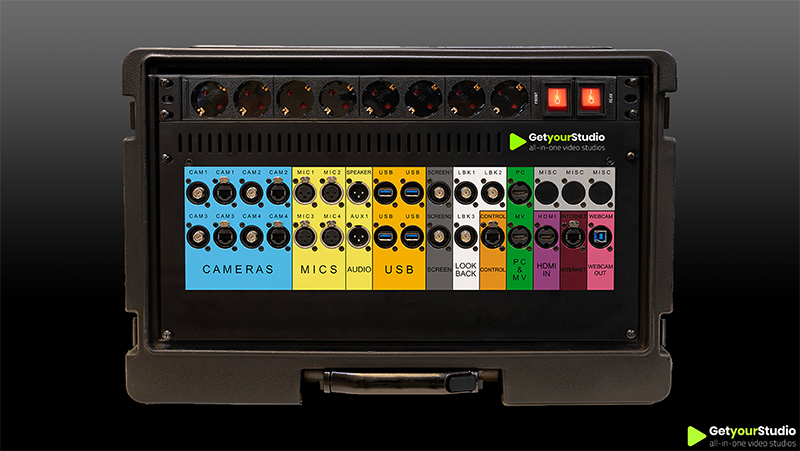
All the GetyourStudio PRO hardware is built into a custom-made flight case, making the PRO set compact and mobile and quickly deployable on location. Setting up the studio and installing the hardware can be done independently. If you prefer, have a GetyourStudio specialist or one of our authorized partners take care of it for you.
FLEXIBLE YET SIMPLE
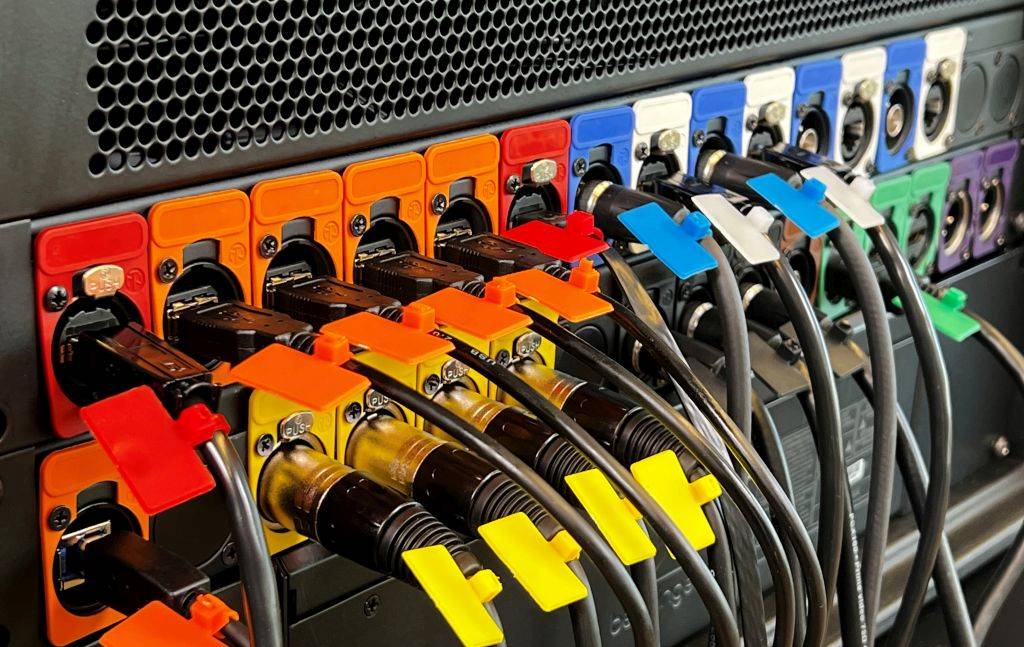
Whether HDMI, USB 2.0, USB 3.0, XLR, BNC, or CAT, each device has its own cables and connections. Specialists are often asked to connect cameras, microphones, screens, or laptops. With the unique GetyourStudio color connectors, this is no longer necessary. Connecting suddenly becomes child's play.
Every device and cable has its own color and only needs to be connected to the correct color. In this way, moving the studio to another room or, for example, taking it to a trade fair suddenly becomes very easy.




SMART VIDEO PRODUCTION SOFTWARE
GetyourStudio is controlled by StudioAssist, our smart video production software. With StudioAssist, you can live stream and/or record webinars, online training courses, and presentations. In addition, other content such as interviews and knowledge events can be made quickly and easily. The GetyourStudio StudioAssist software was created with the idea of doing video productions or live streams with one or more cameras yourself, without the need of external AV specialists, directors, cameramen, or colleagues. You can also classically operate your studio from the director's chair.
FOR EVERY ORGANIZATION
GetyourStudio PRO is ideal for commercial organizations, healthcare, educational institutions, non-profit organizations, and government institutions that need content for presentations, webinars, talkshows, video podcasts or online learning programs but no longer want to hire expensive external webinar studios to regularly create in-house video content.


SMART VIDEO PRODUCTION SOFTWARE
GetyourStudio is controlled by StudioAssist, our smart video production software. With StudioAssist, you can live stream and/or record webinars, online training courses, and presentations. In addition, other content such as interviews and knowledge events can be made quickly and easily. The GetyourStudio StudioAssist software was created with the idea of doing video productions or live streams with one or more cameras yourself, without the need of external AV specialists, directors, cameramen, or colleagues. You can also classically operate your studio from the director's chair.

FULL-SERVICE IS REALLY FULL-SERVICE
By full-service, we really mean full-service. In addition to supplying a complete package with all necessary hardware and software, GetyourStudio, or one of our authorized partners, also takes care of the entire installation, implementation, and training. GetyourStudio works with pre-assembled and fully coordinated, and tested hardware. That means the technical installation often takes no more than a day. We also train super-users and other users on GetyourStudio hardware and software. A standard part of our service provision is a service agreement allowing us to remotely monitor and solve any issues. Very handy if there is a problem or question just before the live broadcast.

QUALITY AND FLEXIBILITY WITH CANON
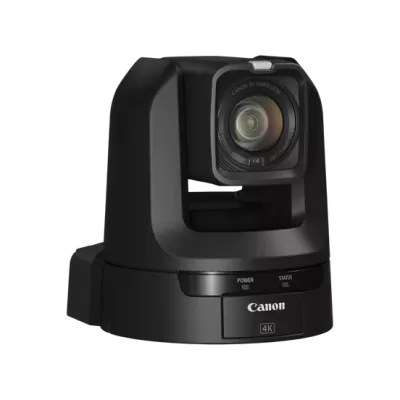
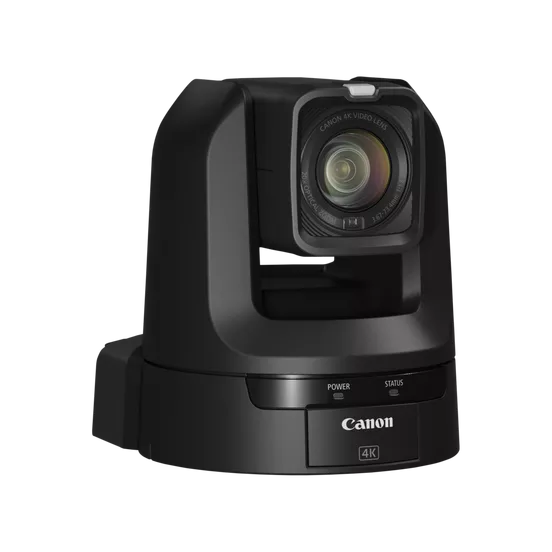
For professional studio applications that require more flexibility and functionality, the GetyourStudio PRO is the ideal choice. That’s why we pair this setup by default with Canon PTZ cameras – the market leader in image quality, reliability, and AV integration. For the PRO configuration, the Canon CR-N300 is the most logical choice: powerful zoom, excellent low-light performance, and versatile connectivity options. Depending on your needs, models such as the CR-N100, CR-N500, and CR-N700 are also available – each offering unique strengths in terms of specifications and budget.

GetyourStudio PRO in short
- The extended version of the GetyourStudio BASIC
- Ready-made and scalable video studio
- 2 or 3 remote-controlled Full HD Canon PTZ cameras. More PTZ cameras optional
- 2 Shure microphones (wired)
- 2 or 3 high-quality custom wheeled PTZ dolly stands
- Easy creation of live streams or video content at the level of a professional studio
- Stream and record in Full HD quality
- Various expansions are possible, up to a maximum of four cameras and four microphones
- Extensive studio lighting
- All equipment for recording, saving, and streaming video
- All necessary control hardware built into a wheeled custom flight case
- Streaming via RTMP or SRT to platforms such as Zoom, Teams, Google Meet, GoToWebinar, Webex, YouTube live, Vimeo or Facebook Live