GetyourStudio PRO 4K

Turnkey video studio, ready for streaming and recording in UHD 4K. From webinars, podcasts to in-house talk shows and from interview setups to hybrid events with a live audience. Mobile, scalable, and fully equipped, including smart automated control software.

ULTRA-HIGH IMAGE QUALITY
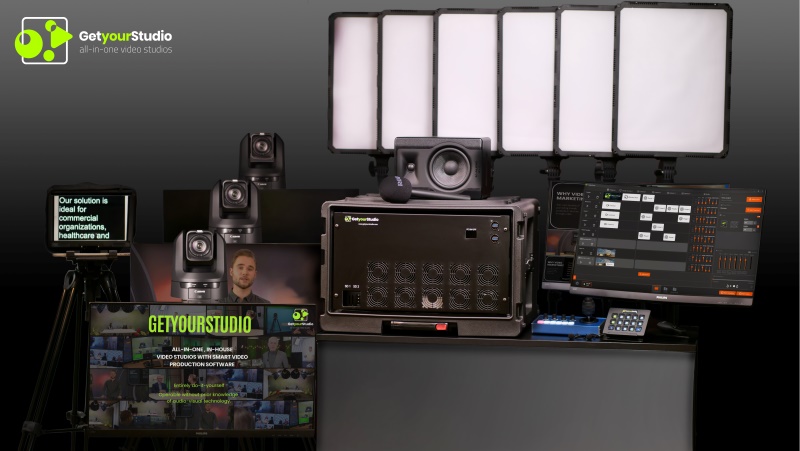
The GetyourStudio PRO 4K is the top model in the GetyourStudio range. All equipment, cables, and connectors are 4K (12G-SDI), delivering content up to four times sharper than Full HD. With two to four Canon CR-N700 PTZ cameras (4K, 20× zoom), teleprompter, lighting, microphones, and look-back monitors, it gives you everything to direct and stream video, audio, and lighting in top quality.
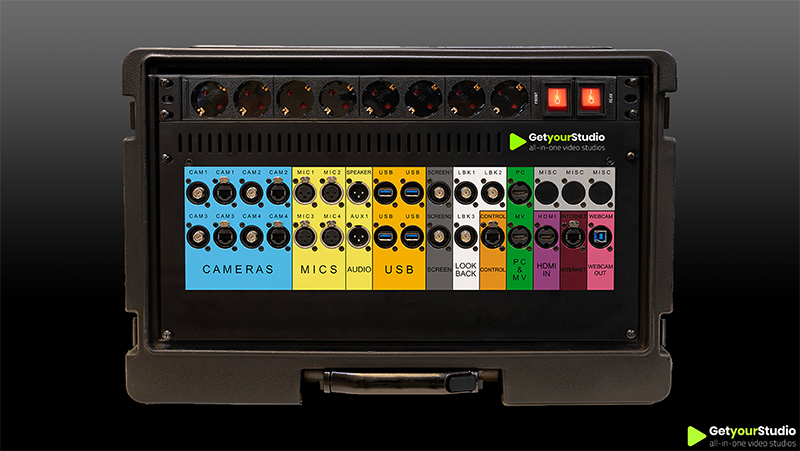
Front view of the GetyourStudio flight case showing the color coded connection panel for easy setup.

READY-TO-USE SOLUTION

The heart of the GetyourStudio PRO 4K is the compact, mobile Studio-in-a-Box PRO 4K. This wheeled flight case contains all control hardware and recording equipment, including an 18-channel audio mixer and a 2ME 4K video mixer, fully integrated and instantly ready on location. A complete all-in-one solution, optionally expandable with ISO recording to capture individual tracks from each camera.

FLEXIBLE YET SIMPLE

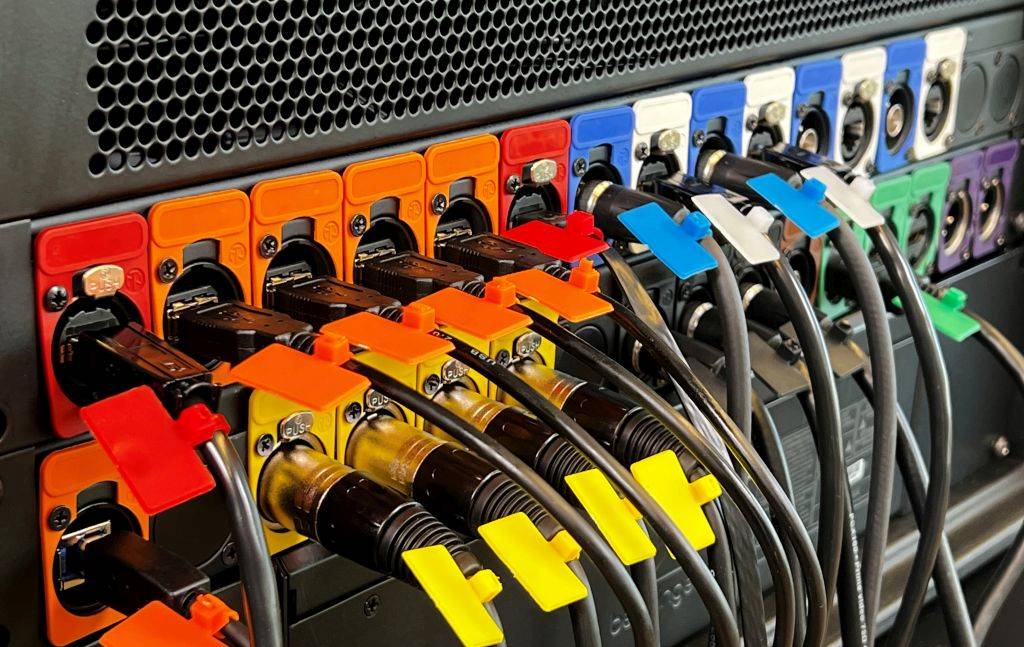
HDMI, USB 2.0, USB 3.0, XLR, BNC or CAT — every device has its own cables and connections. Normally, setting up cameras, microphones, screens or laptops requires specialists, but with GetyourStudio’s unique color-coded connectors it suddenly becomes child’s play. Every device and cable has its own color and only needs to be matched to the same one. This makes moving the studio to another room or taking it along to a trade show surprisingly easy.

WIDELY APPLICABLE

GetyourStudio PRO 4K is ideal for commercial companies, healthcare and educational institutions, non-profits, or government organizations that regularly need to produce video content in the highest resolution, whether for presentations, webinars, e-learning programs, or video podcasts.

AUTOMATED DIRECTORY SOFTWARE

GetyourStudio is controlled by StudioAssist, our automated management software. With StudioAssist, you can live stream and/or record webinars, online training courses, and presentations. In addition, other content such as interviews and knowledge events can be made quickly and easily. The GetyourStudio StudioAssist software was created with the idea of doing video productions or live streams with one or more cameras yourself, without the need of external AV specialists, directors, cameramen, or colleagues. You can also classically operate your studio from the director's chair.

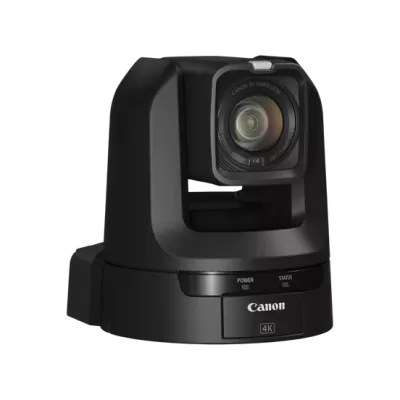
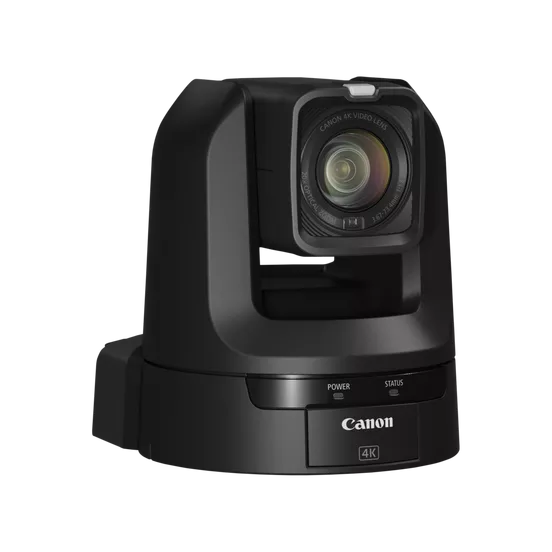
Canon PTZ CR-N100 camera Zwart

QUALITY AND FLEXIBILITY WITH CANON

For professional studio applications that require more flexibility and functionality, the GetyourStudio PRO 4K is the ideal choice. That’s why we pair this setup by default with Canon PTZ cameras – the market leader in image quality, reliability, and AV integration. For the PRO 4K configuration, the Canon CR-N700 is the most logical choice: powerful zoom, excellent low-light performance, and versatile connectivity options. Depending on your needs, models such as the CR-N100, CR-N500, and CR-N700 are also available – each offering unique strengths in terms of specifications and budget.

GetyourStudio PRO 4K in short

Stream and record in 12G SDI 4K image quality
  • Very high image resolution with 4x more detailed image than full HD video
  • All equipment, cables, and connectors in 12G SDI 4K quality
  • Up to 4 cameras and 6 microphones
  • Remotely controlled Canon 4K PTZ cameras. More PTZ cameras are optional.
  • Includes extensive studio lighting, including bi-color LED panels, bi-color spotlights with softboxes, and colored (RGBW) decor LED lighting
  • Includes autocue/teleprompter, Shure wireless microphones, two wired microphones, video tripods with look back screens, 15-button One-touch control panel, two monitors, and much more
  • All equipment for recording, saving, and streaming video
  • All necessary control hardware built into a wheeled custom flight case
  • Streaming via RTMP or SRT to platforms such as Zoom, Teams, Google Meet, GoToWebinar, Webex, YouTube live, Vimeo or Facebook Live
  • StudioAssist, GetyourStudio's smart video production software

Curious about the possibilities for your organisation?

Then please contact us or visit our demo studios in Utrecht.

Frequently Asked Questions about GetyourStudio PRO 4K

Everything about our 4K all-in-one studio with 2 to 6 cameras — ultra-HD quality, specs, and use cases.

  • Who is the GetyourStudio PRO 4K designed for?

    The PRO 4K is designed for organisations that require the highest possible image quality: 12G SDI 4K 60fps throughout. Ideal for premium e-learning, broadcasting, large-scale events, and productions where every detail counts. All components — cameras, video mixer, cabling, and outputs — operate in 4K 12G SDI quality. Suitable for organisations in media, higher education, healthcare, and corporate that want to produce at the highest broadcast level.

  • What resolution does the PRO 4K record and stream in?

    The PRO 4K records and streams in 4K Ultra HD (3840×2160) at up to 60fps via 12G SDI — the professional broadcast standard for the highest image quality. All components are matched: cameras, video mixer, recorder, and output are all 4K 12G SDI-certified.

  • What is the Studio-in-a-Box PRO 4K?

    The Studio-in-a-Box PRO 4K is a compact, mobile flight case containing a Blackmagic Design 4K 12G-SDI 2 M/E video mixer, a 12-channel audio mixer, an integrated PC, StudioAssist software — all in 4K quality, pre-installed, tested, and colour-coded. It supports up to 4 cameras (expandable to 6), 6 microphones (expandable to 8), and 10 simultaneous sources.

  • How many cameras does the PRO 4K support?

    The PRO 4K supports up to 6 cameras. It is supplied as standard with 3 or 4 Canon 4K PTZ cameras and can be expanded to a maximum of 6 cameras. All cameras record and stream in 4K 12G SDI quality.

  • What is included as standard in the GetyourStudio PRO 4K?

    Included are: 3 or 4 Canon 4K PTZ cameras (expandable to 6), Studio-in-a-Box PRO 4K with Blackmagic Design 4K 12G-SDI 2 M/E video mixer, 12-channel audio mixer and integrated PC, professional studio lighting, Shure microphones, mobile Manfrotto tripods with confidence monitors, the OneTouch control panel, StudioAssist software, and all cables and accessories. Teleprompter, additional screens, décor, and furniture available as options.

  • What is the difference between the PRO 4K and the PRO XL?

    The key difference is image quality. The PRO XL delivers HD quality; the PRO 4K delivers 4K 12G SDI quality throughout — cameras, mixer, recorder, and outputs. The PRO 4K features a Blackmagic Design 4K 12G-SDI 2 M/E video mixer. Both models support up to 6 cameras and 8 microphones, but the PRO 4K is the choice when the highest resolution is a requirement.

  • Which streaming platforms are supported?

    The PRO 4K supports live streaming via RTMP or SRT to all major platforms: Zoom, Microsoft Teams, Google Meet, GoToWebinar, Webex, YouTube Live, Vimeo, Facebook Live, and any platform supporting RTMP or SRT. Streaming and recording can run simultaneously at 4K quality.

  • Can the PRO 4K also be used on external locations?

    Yes. The Studio-in-a-Box PRO 4K has wheels and is compact enough for transport to external locations, trade shows, or event venues. Thanks to the colour-coded connector system the studio is up and running in minutes — without any technical knowledge.

  • Do I need AV expertise to operate the PRO 4K?

    No. The PRO 4K is operated through StudioAssist — designed for people with no AV background. One person manages the entire studio at broadcast level. After the handover training, your team produces independently from day one.

  • How long does installation take?

    The technical installation of the PRO 4K is typically completed within a single day. GetyourStudio trains your team on-site after installation. A studio without custom décor is generally fully operational the same day or the day after installation.

  • What does the GetyourStudio PRO 4K cost?

    Pricing for the GetyourStudio PRO 4K is available on request and depends on the chosen camera configuration and any optional additions. Contact GetyourStudio for a tailored, no-obligation quote. Leasing is available for all configurations.

  • Is ISO recording available on the PRO 4K?

    ISO recording — where each individual camera feed is recorded simultaneously as a separate stream — is available as an optional add-on for the PRO 4K. This gives maximum post-production flexibility: each camera angle can be edited or repurposed independently alongside the mixed programme output. Pricing on request.